
Sign up
Open Supplier Connect and click Sign up. Each number in the list matches a numbered field in the screenshot.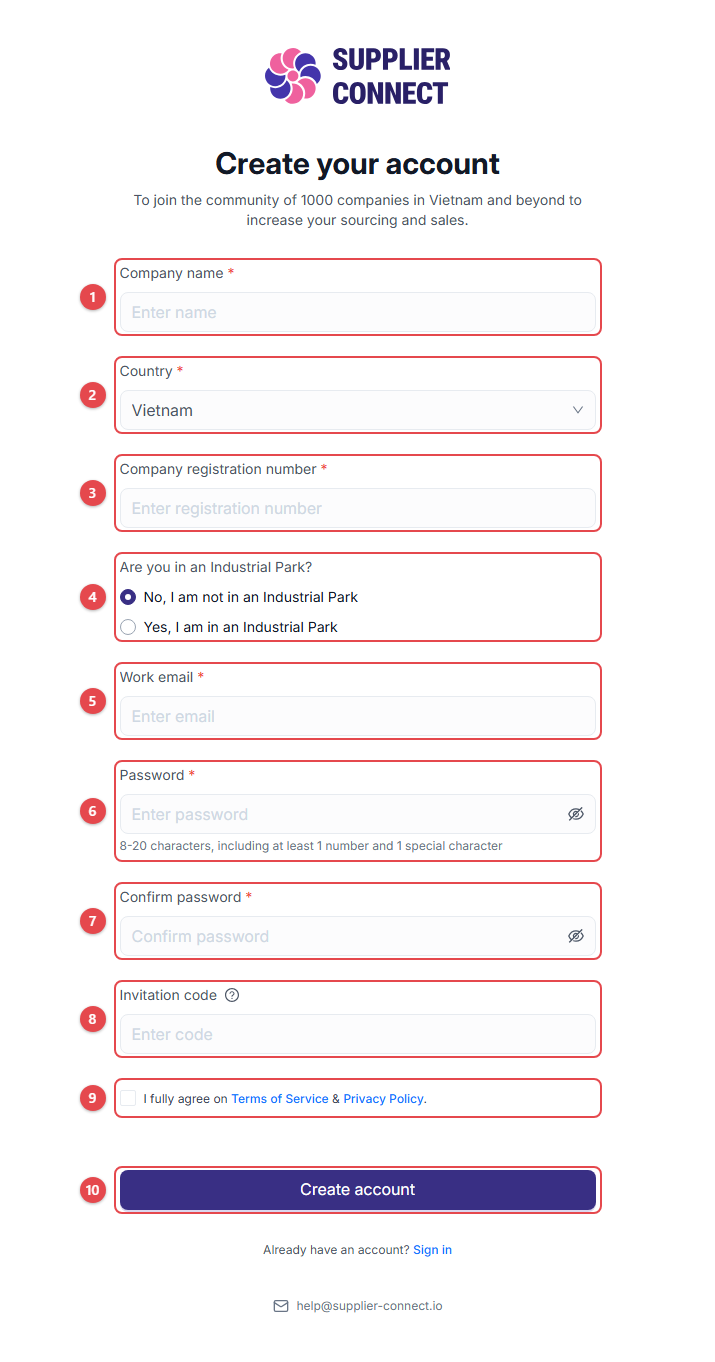
- Company name: your company’s legal name.
- Country: where the company is registered.
- Company registration number: up to 50 characters.
- Are you in an Industrial Park? If you choose Yes, also enter the Industrial Park name.
- Work email: use your company email. It becomes your login.
- Password: 8–20 characters, including at least 1 number and 1 special character.
- Confirm password: type the same password again.
- Invitation code (optional): if another company invited you, enter their code to be connected straight away.
- Tick the box to accept the Terms of Service & Privacy Policy.
- Click Create account.
Sign in
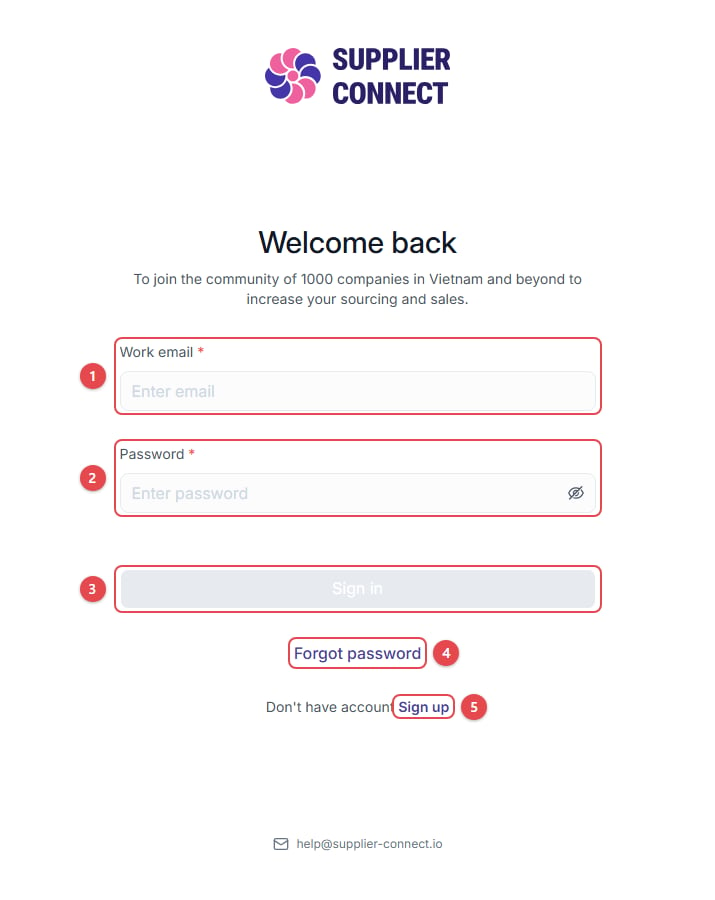
- Work email
- Password
- Click Sign in.
- Forgot password: reset your password (see below).
- Sign up: create a new account.
Forgot your password?
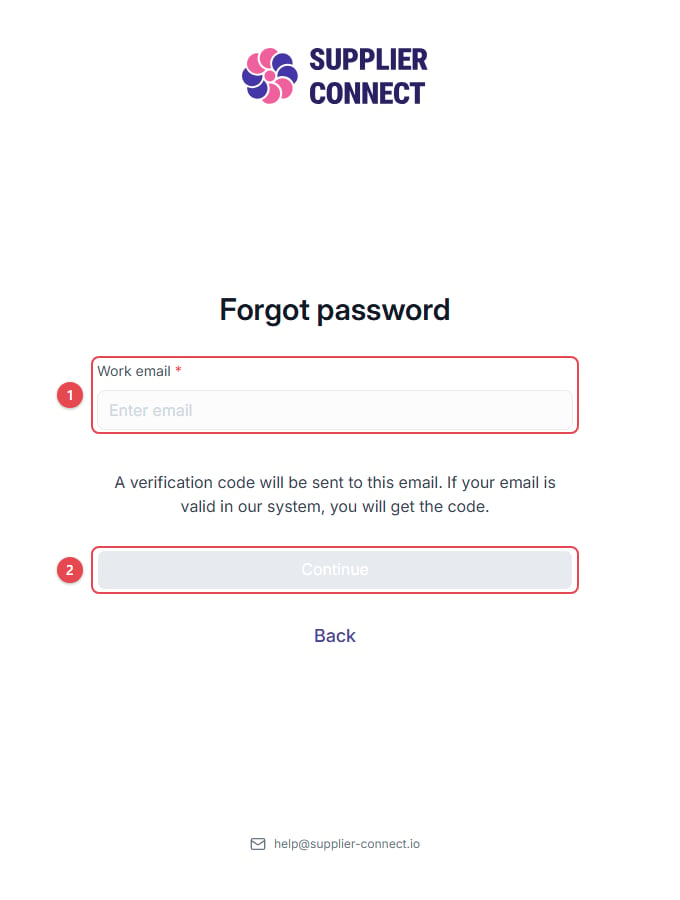
- Enter your Work email.
- Click Continue.
- Enter the code we email you.
- Set a New password and Confirm password.